Building a Real Meeting Export: From Raw Transcript to a Usable Report
Three versions of VORA's meeting export — from raw transcript dump to AI-structured reports with decisions, action items, and keywords. How prompt specificity fixed output quality.
More in Build Notes
- The VORA Overhaul: Dropping Real-Time Q&A, Building Human-in-the-Loop Memos, and a Three-Column Layout
- Mobile-First Playground: Making an Astrology Grid Actually Work on a Phone (And Go Viral While Doing It)
- How I Fixed AI Over-correction
- I Spent 3 Hours Trying to Proxy a Blog Subdomain. Here's My Descent Into Madness.
- The i18n + SEO Cleanup Chronicles: Canonical Chaos, hreflang Therapy, and Other Adventures
The first version of VORA's meeting export was technically accurate and completely useless.
It exported every word anyone said, with timestamps, into a text file. The kind of file you download, open once, scroll through for ten seconds, close, and never open again.
Turns out people don't want a transcript. They want to know: what was decided, what needs to happen next, and whose problem it is now.
Three versions later, I think I finally understand the assignment.
📋 Version 1: The Timestamp Dump
The raw transcript export. Every utterance, every timestamp, every "um" and "can you hear me?"
Technically complete. Practically useless. It's like handing someone a phone book when they asked for a contact. Yes, the number is in there. Good luck finding it.
🎨 Version 2: The Pretty Useless Report
I added sections, visual structure, nicer HTML layout. It looked professional. It looked like something you'd send to a client.
The problem? The content extraction was still using simple heuristics. Important decisions were buried between small talk and tangents. It was the same bad information wearing a nicer outfit.
Better-looking output. Same core problem.
✅ Version 3: The One That Actually Works
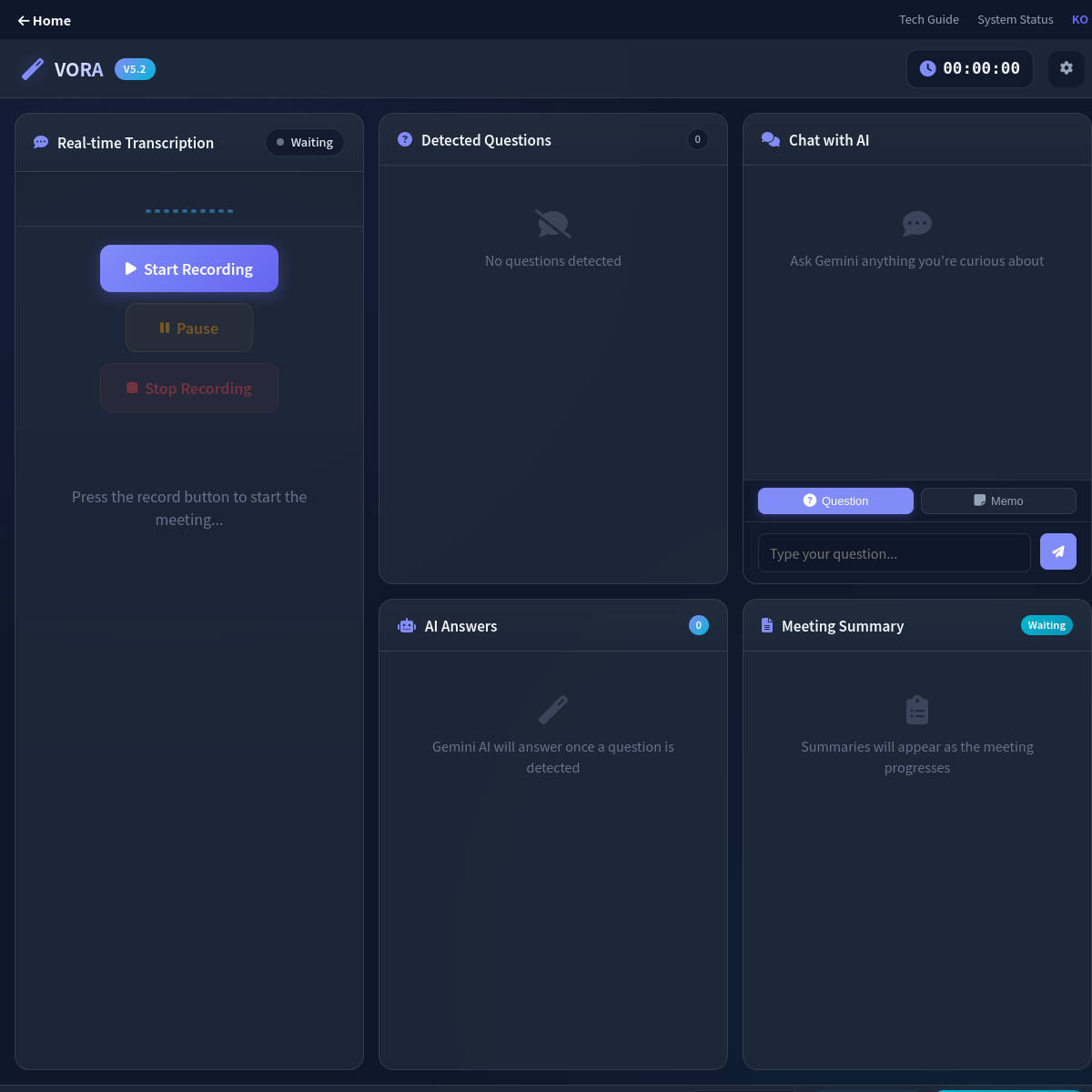
I scrapped the heuristic approach and let AI generate a structured report from the full transcript context. Not "extract snippets" -- "write a document with these required sections":
- Meeting overview
- Key discussion points
- Decisions table
- Action items table
- Keyword summary
Five sections. Strict format. No room for the AI to get creative and produce a three-paragraph essay about synergy.
💡 The Prompt Specificity Breakthrough
Here's what I learned: the model didn't matter nearly as much as the prompt.
Vague prompt? Generic output. "Summarize this meeting" produces the same bland paragraph every time. It's like telling a restaurant "make me food" and being surprised when you get plain rice.
Strict prompt? Predictable, usable output. I explicitly locked down:
- Section order (don't rearrange)
- Table requirements (decisions and action items must be tables, not paragraphs)
- Response tone (professional but concise)
- Formatting boundaries (no markdown headers inside table cells)
Once the prompt became concrete, the output became stable. Same structure every time. That's what you want from an export feature.
What the Actual Prompt Looks Like
Here's a simplified version of the prompt structure I send to the AI:
Analyze this meeting transcript and generate a professional report with these exact sections:

## Meeting Overview
[2-3 sentences on what was discussed overall]

## Key Discussion Points
- Point 1
- Point 2
- Point 3

## Decisions
| Decision | Owner | Status |
|----------|-------|--------|
| [decision] | [person] | [status] |

## Action Items
| Task | Assigned To | Due Date |
|------|------------|----------|
| [task] | [owner] | [date] |

## Keywords & Topics
- keyword 1
- keyword 2
- keyword 3

Rules:
- Use markdown table syntax for decision and action tables
- Keep each bullet point to one line
- No markdown headers inside table cells
- Professional tone, avoid fluffy language
- Be specific about owners and deadlines
The magic here isn't the complexity -- it's the constraint. By telling the AI exactly what sections I want and showing the exact markdown format expected, the model stops trying to be creative and just fills in the blanks correctly. Every time.
🛠️ The Markdown-to-HTML Trick
The AI outputs markdown tables. The export target is HTML. I could've pulled in a full markdown parser, but that felt like using a forklift to move a chair.
Instead, I built a tiny focused renderer that handles only the patterns I actually use -- headers, tables, bold text, lists. Kept the bundle light, kept the output clean.
Here's a simplified version of the core rendering logic:
formatSmartSummary(summary) {
    // 1. Parse markdown tables to HTML
    const tableRegex = /\|(.+)\|[\n\r]\|[ :|-]+\|[\n\r]((?:\|.+\|[\n\r]*)+)/g;
    summary = summary.replace(tableRegex, (match, header, rows) => {
        const headers = header.split('|').filter(h => h.trim())
            .map(h => `<th>${h.trim()}</th>`).join('');
        const tbody = rows.trim().split('\n').map(row => {
            const cells = row.split('|').filter(r => r.trim())
                .map(d => `<td>${d.trim()}</td>`).join('');
            return `<tr>${cells}</tr>`;
        }).join('');
        return `<table><thead><tr>${headers}</tr></thead><tbody>${tbody}</tbody></table>`;
    });

    // 2. Convert markdown headers to HTML
    summary = summary.replace(/^## (.+)$/gm, '<h3>$1</h3>');

    // 3. Convert bullet points to lists
    summary = summary.replace(/^- (.+)$/gm, '<li>$1</li>');

    return summary;
}
The renderer doesn't try to be a Swiss Army knife. It handles the six patterns I actually need: headers, tables, lists, bold, code blocks, and line breaks. That's it. A full markdown parser would be overkill and add kilobytes to the bundle. The focused approach keeps things lean and predictable.
💬 What Users Actually Said
After shipping this, I got some candid feedback that surprised me.
The most common reaction: "Wait, I can just download this and send it to my boss?" Some users thought the AI report was too polished, like there had to be a catch. The report looked professionally formatted with tables, structured headings, and clean styling. They expected it to need editing.
A few people actually didn't like how clean it was. One user said, "I want to see the messy parts. What if the AI missed something?" Fair point -- and it's why I added the option to view the original transcript alongside the report. Some workflows need both.
The biggest win was this comment: "I saved forty-five minutes on meeting notes today." That's from someone who used to manually transcribe key points. Now they export, add context if needed, and forward. The structured format made it immediately clear what was decided and who was responsible.
One unexpected use case emerged: people were using the export as an accountability tool. By showing decisions and action items as explicit table entries with names attached, nobody could later claim "I didn't know that was my job." The format made ownership undeniable.
The most honest feedback: "The speaker attribution is still wrong sometimes." Yeah, that one stings. When multiple people talk without clear speaker markers, the AI has to guess who said what and owns what. I'm still working on that without slowing down the export flow.
✅ One Button, Done
Early versions had multiple export modes. Download as text? Download as HTML? Download as... PDF? The options created friction. People stared at the buttons and picked none of them.
I replaced all of that with one action: click export, AI generates the refined report, download ready-to-share HTML. One button. Done.
⚠️ The Remaining Weak Spot
Task ownership is still the shakiest part. When speaker attribution is ambiguous -- and in real meetings, it often is -- the AI has to guess who owns each action item. Sometimes it guesses wrong.
I'm testing low-friction ways to improve this without making the export flow slower. The whole point is one click. Adding a "please review 15 speaker assignments" step would kill it.
🎯 What I Took Away
A report feature works when it saves follow-up time, not when it perfectly preserves raw data. Nobody wants a transcript. They want a document they can forward to their boss without editing it first.
The turning point wasn't switching models or adding features. It was treating export as a communication tool -- not a file dump.
2026.02.14
Written by
Jay Lee
Korea-Licensed Pharmacist (#68652) · Senior Researcher
Korea University, College of Pharmacy (B.S. + M.S., drug delivery systems & industrial pharmacy). Building production-grade AI tools across medicine, finance, and productivity — without a CS degree. Domain expertise first, code second.
About the author →Related posts