The Mobile Menu Trilogy: One Button, Three Fixes, Mild Emotional Damage
A humorous but technical dev log about fixing CryptoBacktest mobile navigation across multiple pages, with real commit snippets and the exact bugs that kept coming back.
More in Build Notes
- The VORA Overhaul: Dropping Real-Time Q&A, Building Human-in-the-Loop Memos, and a Three-Column Layout
- Mobile-First Playground: Making an Astrology Grid Actually Work on a Phone (And Go Viral While Doing It)
- How I Fixed AI Over-correction
- I Spent 3 Hours Trying to Proxy a Blog Subdomain. Here's My Descent Into Madness.
- The i18n + SEO Cleanup Chronicles: Canonical Chaos, hreflang Therapy, and Other Adventures
This post is about a single button.
A tiny hamburger menu button.
A button so small you could miss it with your thumb.
That button consumed multiple commits and a non-trivial portion of my sanity.
📺 Episode List (Yes, There Were Episodes)
The timeline:
0b5c0fe(2026-02-17): top tab + mobile menu functionality pass8ee6bab(2026-02-17): mobile hamburger still broken on specific pagesf472d14(2026-02-17): missing hamburger HTML on mobile
If this sounds repetitive, that's because it was.
🔍 Root Cause Pattern
We didn't have one bug. We had a class of consistency bugs:
- JS toggle logic existed, but not uniformly
- CSS states existed, but not consistently applied
- Some pages were missing required HTML nodes
Each local fix looked correct inside its file, but globally the system remained fragile.
⚙️ The Actual Toggle Logic We Added
From 0b5c0fe (js/app.js):
const mobileMenuBtn = document.getElementById('mobile-menu-btn');
const navLinks = document.querySelector('.nav-links');

if (mobileMenuBtn && navLinks) {
  mobileMenuBtn.addEventListener('click', () => {
    navLinks.classList.toggle('mobile-open');
  });

  document.addEventListener('click', (e) => {
    if (!mobileMenuBtn.contains(e.target) && !navLinks.contains(e.target)) {
      navLinks.classList.remove('mobile-open');
    }
  });
}
Nothing exotic. Just normal, reasonable UI behavior.
And still, we had breakage. Why? Because behavior logic is only half the contract.
🎨 The CSS State Styling We Were Missing
Here's the CSS that should have been consistently applied across all pages (from 8ee6bab):
/* Mobile menu container base state */
.nav-links {
  display: flex;
  flex-direction: column;
  position: absolute;
  top: 60px;
  right: 0;
  background-color: #fff;
  border: 1px solid #e0e0e0;
  border-radius: 4px;

  /* Default: hidden on mobile */
  max-height: 0;
  overflow: hidden;
  opacity: 0;
  transition: max-height 0.3s ease, opacity 0.2s ease;
  z-index: 1000;
}

/* Active/open state — toggled by .mobile-open class */
.nav-links.mobile-open {
  max-height: 500px;
  opacity: 1;
}

/* Hamburger button styling */
#mobile-menu-btn {
  background: none;
  border: none;
  cursor: pointer;
  padding: 8px;
  display: none; /* hidden on desktop */
}

/* Show hamburger only below 768px breakpoint */
@media (max-width: 768px) {
  #mobile-menu-btn {
    display: block;
  }

  .nav-links {
    flex-direction: column;
    gap: 0;
  }

  .nav-links a {
    padding: 12px 16px;
    border-bottom: 1px solid #f0f0f0;
  }
}

/* Tablet breakpoint — slightly larger spacing */
@media (max-width: 1024px) and (min-width: 769px) {
  #mobile-menu-btn {
    display: none; /* revert to desktop layout */
  }

  .nav-links {
    position: static;
    flex-direction: row;
    max-height: auto;
    opacity: 1;
  }
}
The problem? Not all pages had this exact CSS block. Some inherited it, some had stale versions, some had nothing.
Result: the toggle logic would fire, the class would get added, but the CSS state change never happened. Users saw no menu appear.
🚨 The Missing HTML Problem
In f472d14, the fix was embarrassingly simple:
- some pages literally did not include the hamburger button HTML block
The diff between pages that worked vs. pages that broke:
<!-- Working page (home): -->
+ <button id="mobile-menu-btn" aria-label="Menu">
+   <span class="hamburger-icon">☰</span>
+ </button>
+ <nav class="nav-links">
+   <a href="/app">App</a>
+   <a href="/finder">Finder</a>
+ </nav>

<!-- Broken page (finder): -->
- <!-- button entirely missing! -->
- <!-- nav-links div present but orphaned -->
  <nav class="nav-links">
    <a href="/app">App</a>
    <a href="/finder">Finder</a>
  </nav>
Meaning:
- JS listener setup ran
- queried element returned
null - UI did not expose menu entry at all
This is a perfect "works on my page" trap. The code can be correct and still fail if page structures drift.
🔗 Why This Bug Was Sticky
The navigation layer existed in many HTML files.
Any time you run multi-page static layouts without strict templating, you risk:
- structural drift
- stale copies
- one-file hotfixes that never propagate
📱 The Viewport Meta Tag Gotcha We Nearly Missed
While tracking down these issues, we almost overlooked something simple but critical on mobile:
<!-- Without this, mobile CSS queries won't fire correctly -->
<meta name="viewport" content="width=device-width, initial-scale=1.0">
If this line is missing or malformed (e.g., width=980px instead of width=device-width), your media queries for @media (max-width: 768px) will not trigger properly.
We found one test page missing this entirely. It had all the CSS media queries written correctly, but the browser was rendering at desktop width on mobile devices. The hamburger button never showed because max-width: 768px was evaluating against a 980px viewport.
The lesson: always validate your viewport meta tag on every page template. It's invisible, but it controls whether mobile breakpoints even work.
🔀 From the Outside vs. Inside
From the outside, it looks like one bug. From the inside, it's a distribution problem.
💡 The Non-Developer Lesson I Learned the Hard Way
I used to think UI bugs were mostly about "bad JS."
Now I think mobile UI bugs are often about this triangle:
- structure (HTML)
- behavior (JS)
- state styling (CSS)
If one side is inconsistent, the triangle collapses and your users get a broken menu.
✅ How We Reduced Repeat Incidents
Not perfect, but better:
- standardized nav structure across pages
- repeated toggle logic where needed
- added visual pass on multiple routes, not just home
- created a checklist: viewport meta tag, hamburger button HTML,
.mobile-openCSS state
And yes, that last one matters. Because bugs love pages no one manually tests at midnight.
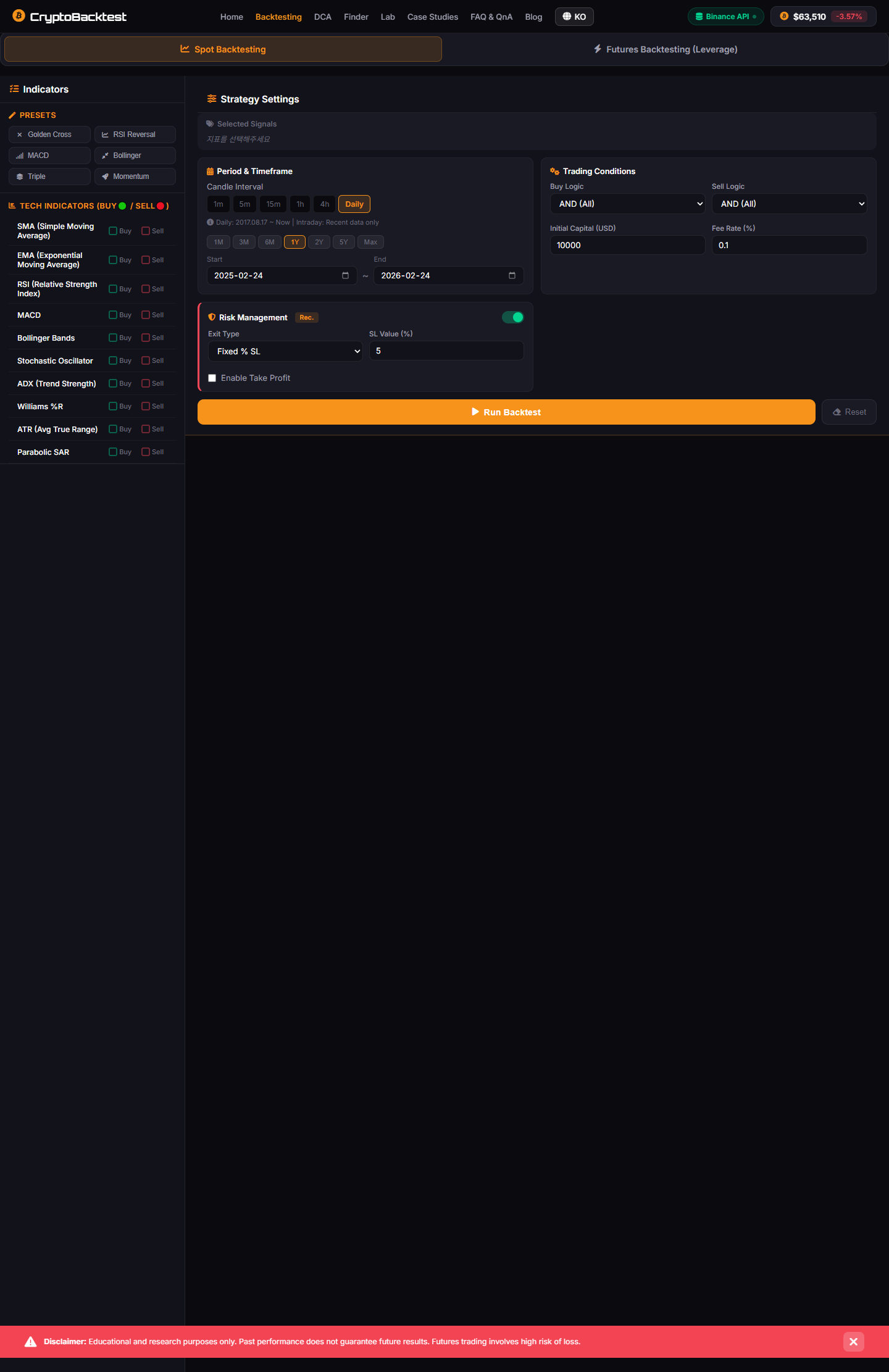
🖼️ Screenshot Reality Check

The finder page is exactly where these bugs hide:
- complex layout
- enough content to distract you
- different scroll and viewport behavior
If nav works on home but fails here, users still call it broken.
🎯 Tangent (But Useful): Why This Is Actually Product Work
I know, this sounds like "just front-end bugfixing."
But from user perspective:
- if nav fails, trust drops
- if trust drops, strategy outputs feel less credible
- if outputs feel less credible, your core value is discounted
So yes, a hamburger button can impact perceived product quality way beyond navigation.
How to Prevent This Structurally
After the third bug, "structure drift" wasn't a satisfying diagnosis — it was a symptom. The real question is what to put in place so structure stops drifting. Here's what I added afterward:
1. Shared nav include. Every page in a multi-page static site should pull the navigation from a single source. In Next.js this is trivial (<Nav /> component), but for plain HTML or hybrid setups, even a simple nav.html partial included via build script (<!--#include-->, Eleventy partials, Astro components) prevents the "one page has the new markup, another page still has the old" problem. The drift can't happen if there's only one source.
2. Build-time nav consistency lint. A short script in CI: parse all rendered HTML, extract the nav block from each page, hash it, fail the build if hashes don't all match. Twenty lines of Node. This catches divergence before deploy. If you can't enforce a single include for legitimate reasons, at least enforce equality.
3. CSS state assertion test. A Playwright or Cypress smoke test that loads the page on a mobile viewport, clicks the hamburger, asserts the menu is visible and the burger icon shows the close state, clicks again, asserts back to original. Five-line test. Runs in two seconds. Would have caught bug #2 (CSS class state mismatch) immediately.
4. JS null-safety as a habit. document.getElementById('menu') returning null should be assumed, not surprising. If the script can run on pages that don't have the element, it must early-return. Better: add a one-line guard at the top of every page-specific script. Best: structure the JS so it only attaches to elements it expects to exist (delegate from a single root listener that's defensive about its targets).
5. Mobile viewport in dev, not just QA. I caught these bugs late because I was developing on desktop and only QA'd on mobile near deploy. Adding chrome --user-agent=mobile to my dev shortcut, or simply opening DevTools at iPhone 13 viewport by default, would have surfaced bug #1 (HTML omission) on the first reload.
The pattern across all three bugs is the same: a multi-page static site with hand-maintained navigation is a structure that requires automated assertions to stay correct. You can either upgrade the tooling (single-include, CI lint, smoke test) or accept that the next refactor will rediscover the same three-bug night.
⚔️ Final Notes from the Button Wars
What I would do if restarting:
- centralized nav partial/template from day one
- route checklist for responsive controls
- tiny e2e mobile smoke test on critical pages
- validate viewport meta tag on every page template early
Because the menu bug is never "just one bug." It is usually your architecture politely telling you to standardize before you add more features.
And yes, I still stare at hamburger buttons like they owe me money.
2026.02.17
Written by
Jay Lee
Korea-Licensed Pharmacist (#68652) · Senior Researcher
Korea University, College of Pharmacy (B.S. + M.S., drug delivery systems & industrial pharmacy). Building production-grade AI tools across medicine, finance, and productivity — without a CS degree. Domain expertise first, code second.
About the author →Related posts